
01
Export CSV
Use bank, credit, or cash account exports without connecting an account.
User-controlled financial review
Start with exported CSV statements, review them in your browser, and decide what is worth keeping, cutting, or acting on.
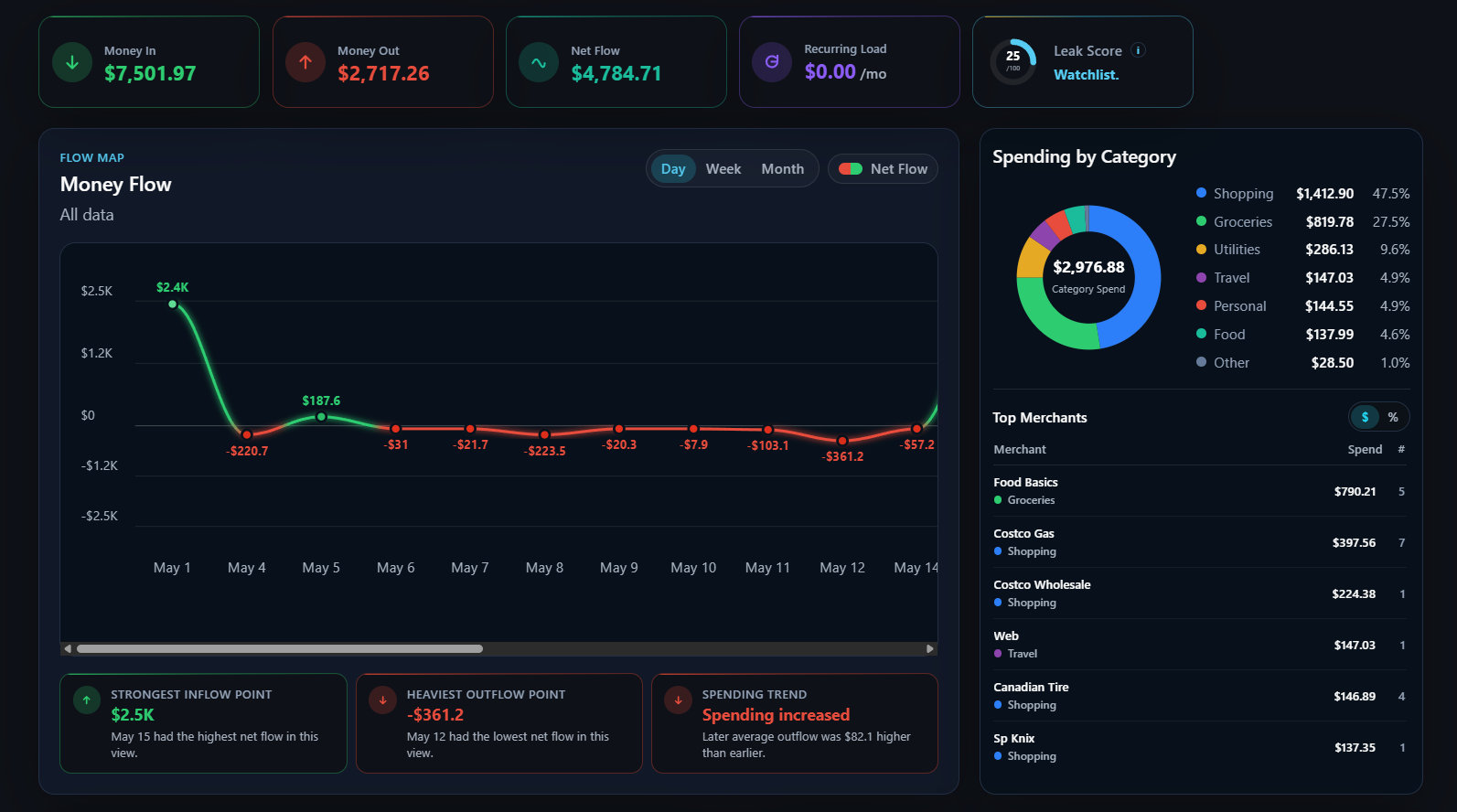
Flow Map
How it works
DrownProof keeps the workflow practical: import your account activity, review the data, then export a local file to build a private money-flow history.
01
Use bank, credit, or cash account exports without connecting an account.
02
Map columns, clean merchants, and review categories and transaction Types.
03
See income, spending, refunds, transfers, recurring items, and data quality.
04
Save a local DrownProof file and reopen it in Flow Map for history.
What it finds
The purpose of DrownProof is to financially audit user-controlled data, no cloud sync or automated bank access required. It helps users see money flows across multiple accounts and review the proof.
Recurring charges and monthly repeats
Spending by category and merchant
Refunds, credits, transfers, and card payments separated
Possible duplicate or import-quality issues
Evidence-backed observations with matching transactions
User-owned DrownProof files for saved reports
Local and flexible
DrownProof starts from exported CSV statements and runs in the browser. Import the files you want to review, save reports as local DrownProof files, and clear browser session data when you are done.
DrownProof Audit Pack
The DrownProof Audit Pack is live for people who want a private way to audit spending without connecting bank accounts. Founding users get access to the current Audit Pack, product updates, and a simple way to send optional feedback.
Founding users keep access to personal Audit Pack improvements released during the founding period and receive preferred pricing on future paid tiers.
The first cohort is priced lower while DrownProof validates onboarding, CSV workflows, and audit usefulness.
Product updates
Join the list for shipped updates, access notes, and practical guidance for reviewing exported statements in DrownProof.
Email updates are separate from the audit workflow. DrownProof does not need your bank login to run an audit.
Built with steady updates
DrownProof shares progress and an active product direction roadmap. User feedback is considered to make improvements. Updates stay focused and practical.
Education and contact
DrownProof starts from exported statements. For launch, the quick-start guide covers the first pass: try the demo, activate access, import a CSV, review the data, and open the audit.
Evidence, not advice
Current insights are observations backed by matching transactions. DrownProof explains the pattern, shows the evidence, and leaves the decision with you.
Notice
Meals & Takeout moved up
Explain
Delivery drove the change
Review
Open matching transactions
Decide
You choose what matters
DrownProof noticed this, shows the evidence, and leaves the decision with you.